
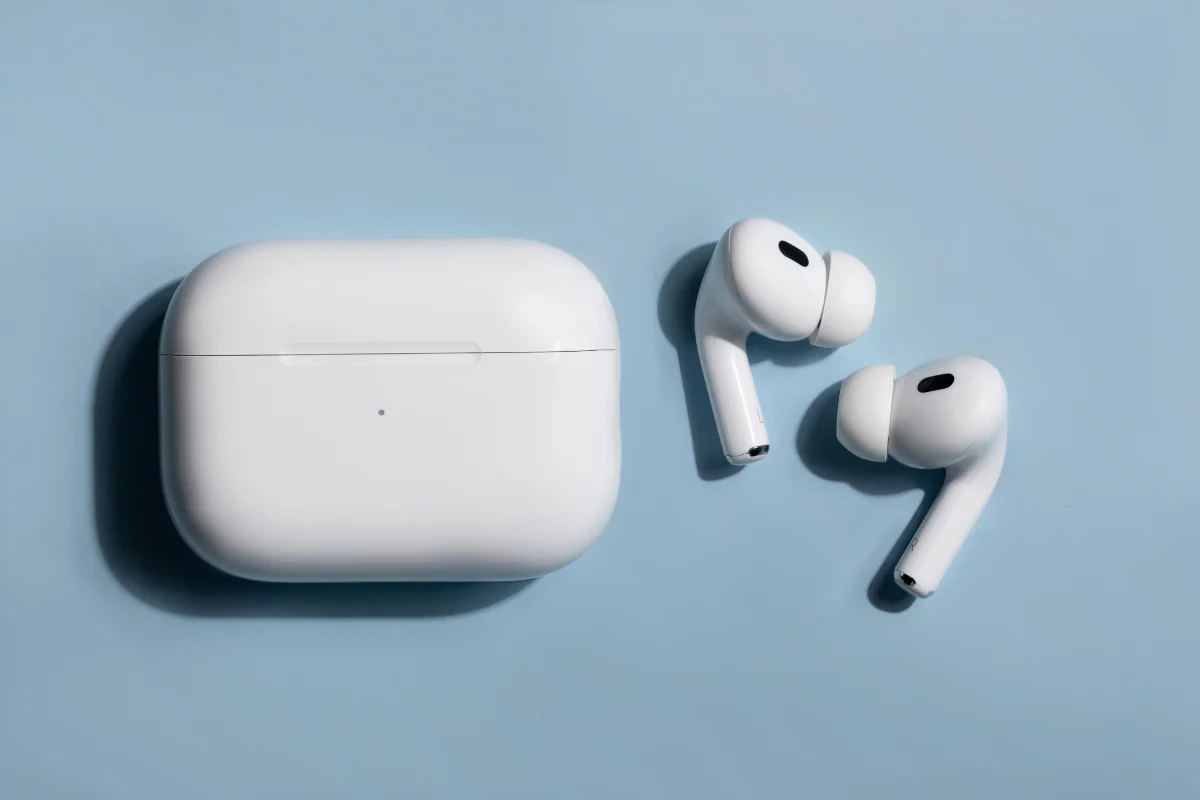
AirPods are known for their clean and balanced audio, but for some users, the bass can feel a bit underwhelming, especially compared to over-ear headphones. Whether you’re listening to thumping EDM or smooth hip-hop, having rich bass adds impact to your music.
The good news is that you don’t need expensive gear to enhance it. With a few tweaks in your iPhone settings or by using the right apps, you can noticeably boost the bass response of your AirPods.
This guide will explain simple, practical methods that anyone can try, whether you’re a casual listener or an audiophile on the go.
Use the Built-In EQ Settings on iPhone
If you’re using Apple Music, one of the quickest ways to increase bass is by using the built-in EQ settings on your iPhone.
Here’s how you can do it:
- Open the Settings app
- Scroll down and tap Music
- Tap EQ
- Select Bass Booster from the list
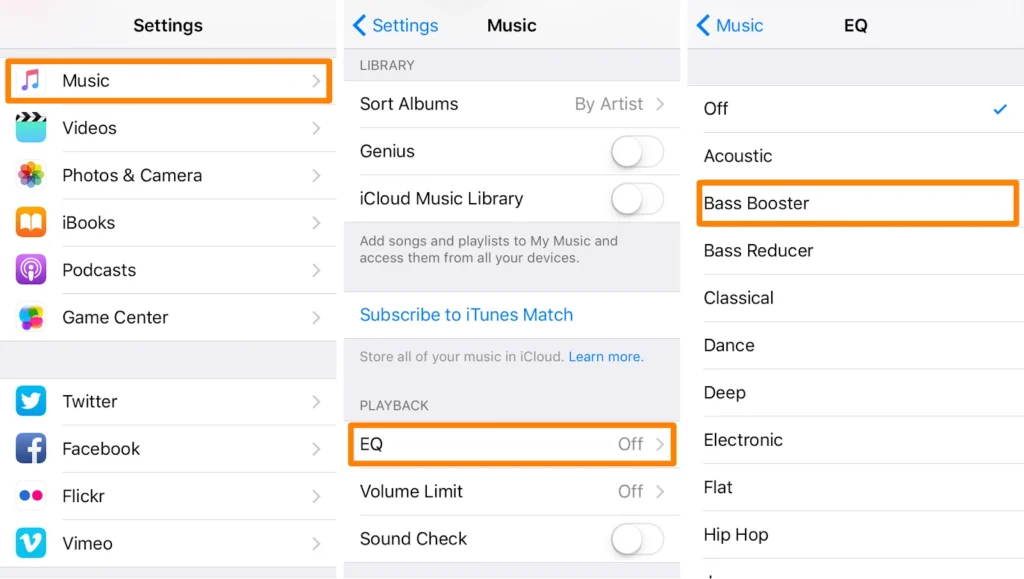
This preset emphasizes lower frequencies, making bass more prominent in your music. Keep in mind, though, this setting only applies to Apple Music. It won’t affect audio from apps like Spotify or YouTube.
You’ll notice the difference most on tracks that are already bass-heavy or produced with deep low-end sounds. It’s not a dramatic change, but enough to feel more “punch” in your playback without needing additional hardware or apps.
Adjust Headphone Audio Settings (iOS Accessibility)
Apple’s accessibility features aren’t just for assistive needs. They’re great for customizing your sound experience, too, especially when it comes to bass.
To adjust these settings:
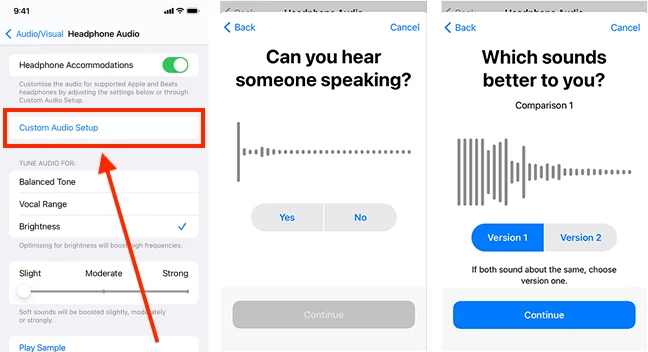
- Go to Settings
- Tap Accessibility
- Under Hearing, select Audio/Visual
- Tap Headphone Accommodations
- Toggle it on and choose Custom Audio Setup, or set it manually
Source: Abilitynet
You can also adjust the Tone (Balanced, Vocal Range, or Brightness) and use the Left/Right Balance slider to tailor the output.
For deeper bass, choose a more balanced or slightly warmer tone. These adjustments apply system-wide, affecting all audio, not just Apple Music. That makes them especially useful if you use streaming apps that don’t support iOS EQ settings directly.
Try a Custom EQ App
If you want more control over your sound, a third-party EQ app can offer advanced options to boost bass frequencies. Apps like Boom, Equalizer+, or Bass Booster allow you to tweak the audio spectrum beyond what iOS offers natively.
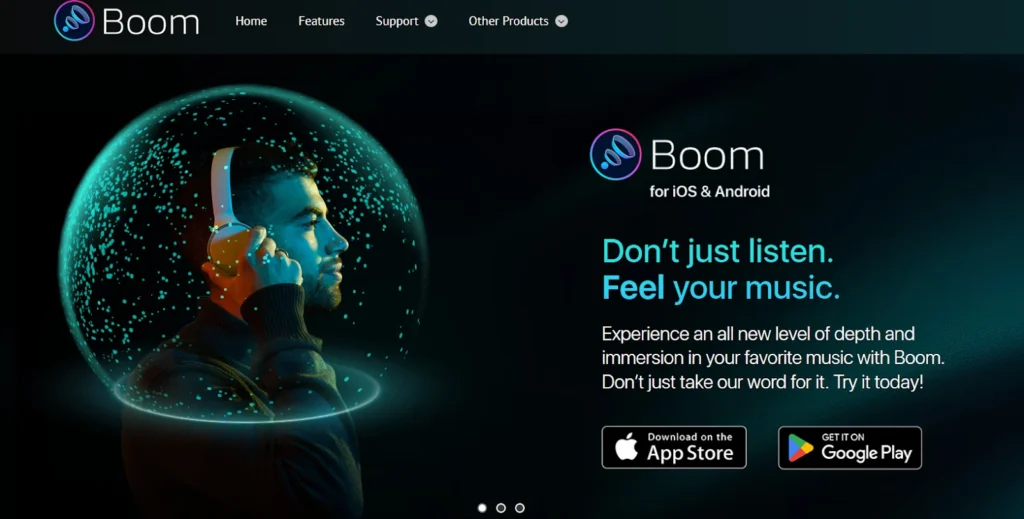
These apps typically work by routing your music through their interface, letting you enhance specific ranges like low-end bass or mids. However, some require subscriptions or only work with downloaded music or specific streaming platforms.
Before committing, check whether the app is compatible with the service you use most, like Spotify or Tidal. While they add an extra step to your listening process, the payoff is more customizable and impactful bass when used correctly.
Improve Fit and Seal for Better Bass
One of the easiest ways to boost bass on AirPods (especially AirPods Pro) is by ensuring a proper fit and seal in your ears. A tight seal helps trap low-frequency sound waves, making the bass feel deeper and more powerful.
For AirPods Pro users, try the built-in Ear Tip Fit Test:
- Go to Settings
- Tap Bluetooth
- Tap the “i” next to your AirPods Pro
- Select Ear Tip Fit Test and follow the instructions
How To: Do An Ear Tip Fit Test On Your AirPods – (Easy Guide)
If the default tips don’t seal well, consider switching to memory foam tips. They adapt better to ear shape and isolate sound more effectively. For standard AirPods, silicone hooks or covers can help improve fit and reduce sound leakage.
A poor fit leads to audio escaping, especially in the low-end range. It causes music to sound flatter or quieter than intended, no matter how good your EQ settings are.
Use Dolby Atmos and Spatial Audio Settings
Dolby Atmos and Spatial Audio aren’t just for surround sound. They can also enhance bass by expanding sound depth and dimension.
To enable it on compatible AirPods (Pro, 3rd-gen, Max):
- Go to Settings > Music > Dolby Atmos
- Choose Automatic or Always On
Spatial Audio adds a 3D-like effect that makes music feel more immersive. It gives bass tones more presence without overpowering the mix, and it’s especially noticeable in tracks mixed specifically for Atmos.
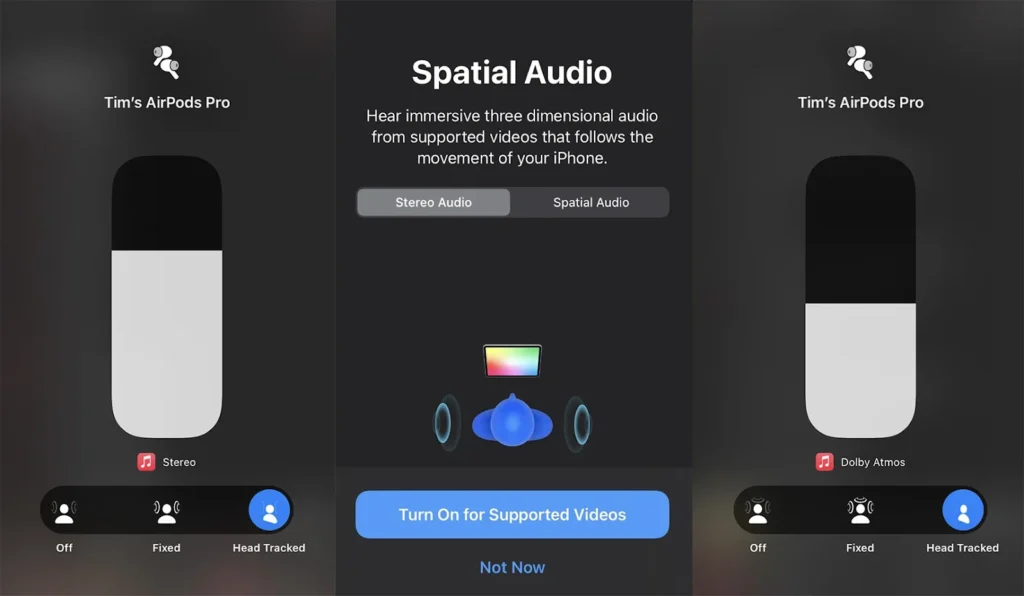
Try listening to Apple Music playlists labeled as “Spatial Audio” or “Dolby Atmos” to experience the difference. You may find that the bass feels fuller and more balanced across different listening environments.
Clean Your AirPods for Clearer Sound
If your AirPods suddenly sound muffled or weaker in bass, dust or earwax buildup might be the culprit. Even a thin layer over the mesh can reduce sound clarity.
- Use a soft-bristled brush or dry cotton swab
- Gently brush around the speaker mesh
- Use a microfiber cloth for the rest of the surface
- Avoid using liquids or compressed air
Never poke the mesh with sharp objects. Damaging the speaker grill could permanently affect audio quality. A clean pair of AirPods often sounds noticeably clearer and punchier, especially in the bass.
Use Bass-Heavy Music or Enhanced Tracks
Boosting bass starts with the right tracks.
- Try genres like hip hop, EDM, or lo-fi beats
- Look for “Bass Boosted” playlists on Apple Music or Spotify
Platforms like Apple Music Lossless or Tidal HiFi offer higher-resolution audio. These formats preserve low-end detail better than standard compressed streams, making your bass adjustments more effective overall.
Conclusion
Getting more bass from your AirPods isn’t just a gimmick. It’s totally achievable with the right setup. From tweaking built-in EQs to improving fit, even small changes can significantly impact how your music sounds.
Whether you’re using iPhone settings, third-party apps, or simply switching up your playlist, there’s something here for every listener. Remember, clean AirPods and high-quality tracks matter just as much as the settings themselves.
Now it’s your turn. Try a few of these tips and rediscover your favorite tracks with richer, deeper bass. You don’t need new headphones; just smarter tweaks.
